








Account disabled (Error 792) after adding payment card
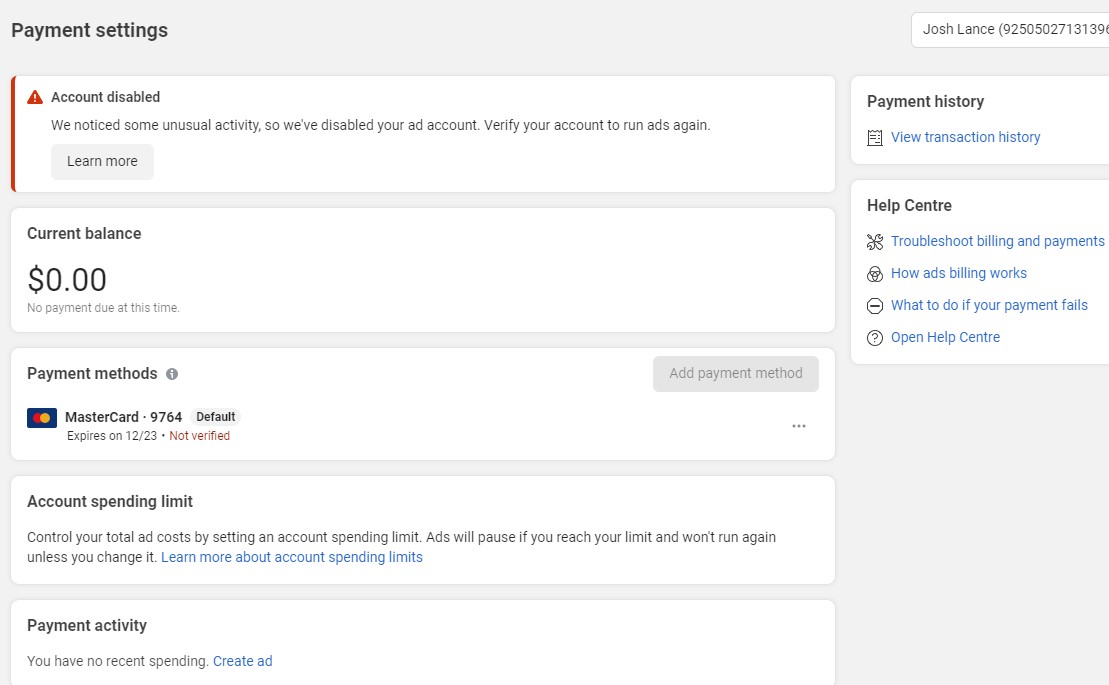
Account disabled (Error 792) after adding payment card
This error usually occurs after you have failed to try to add a payment method. The ad account payment method is locked.
WHAT ARE THE CAUSES ?
- It's because you've added 1 payment card to multiple ad accounts in the past. In those accounts there were disabled accounts, owed bills..etc.
- Use virtual cards, not real payment cards, use Scan accounts (payment hack accounts).
- The country address of the payment card does not match the country address of the ad account.
WHAT TYPES OF ERROR?
TYPE 1: There is an ad account verification button.
- How to know?

- How to solve it?
Go to the business manager and follow the steps below.
+ Click on "VERIFY ACCOUNT" then enter the content: " Hello, I am a new advertiser I am disabled after trying to add a payment card. I use my wife's payment card to run a Facebook ad campaign, I'm certainly not violating any of Facebook's policies. Please review and re-enable me. Thank you."
+ Select the line "Country your credit and/or debit cards were issued in doesn't match your current location". Then press "Submit".
+ Please wait 1-2 days you will receive the results. Good luck.

TYPE 2: Updating
TYPE 3: Updating
New posts


Most viewed
- How to Log In Facebook Account (Updated 2025) 31,035
- How to buy accounts on Accmoon ? Step-by-step instructions 10,759
- Solution to fix disabled account after adding payment 10,289
- How to safely change your Facebook account password 10,108
- Fix account being disabled after adding a card that doesnt hold funds successfully 8,364